Friday, May 30, 2025

Download QST Pro Tool V4 for Free – No Login or Activation Required

Introduction

Looking for a powerful tool to manage and service Android devices without the hassle of logging in or activating? The QST Pro Tool V4 is a lightweight and efficient utility designed for mobile technicians and advanced users. Whether you're unlocking, flashing, or bypassing security features, this tool makes it easier all completely free and without requiring a login or activation key.

What is QST Pro Tool V4?

QST Pro Tool V4 is a free, all-in-one utility designed for Android smartphones and tablets. It provides various functions such as unlocking, flashing firmware, factory reset, FRP (Factory Reset Protection) bypass, and more. What makes this version especially appealing is that it requires no user account, no license key, and no activation simply download and use.

Key Features

  • FRP Bypass: Quickly bypass Google account verification on supported devices.
  • Unlock Functions: Remove various types of locks including PIN, pattern, and password.
  • Flash Firmware: Flash stock firmware on supported devices to restore them or fix bugs.
  • Factory Reset: Perform a full factory reset without needing to access the phone's settings.
  • Device Info: View detailed information about the connected device.
  • One-Click Operations: User-friendly interface with single-click operations for ease of use.
  • No Login or Activation: 100% free with no sign-up, no activation code, and no ads.

How to Use QST Pro Tool V4

  • Download the tool from the link provided below.
  • Extract the ZIP file using tools like WinRAR or 7-Zip.
  • Run the executable file (QST_Pro_Tool_V4.exe) as Administrator.
  • Connect your Android device via USB (make sure USB Debugging is enabled).
  • Select the desired function from the interface and click "Start".
  • Wait for the tool to complete the process—your phone will reboot if necessary.

How to Download

  • Click the official or trusted third-party download link.
  • File size: Approximately X MB (replace with actual size).
  • No installation required – just unzip and use.
  • Compatible with Windows 7, 8, 10, and 11 (32-bit and 64-bit).

Supported Devices

  • Samsung
  • Xiaomi
  • Oppo
  • Vivo
  • Realme
  • Huawei
  • Tecno & Infinix

Conclusion

The QST Pro Tool V4 is a must-have for anyone dealing with Android device maintenance and repair. With no login, no activation, and a simple user interface, it's ideal for both beginners and professionals. Download it today and simplify your mobile servicing tasks without spending a dime.

Download Link: Click Here

Sunday, May 4, 2025

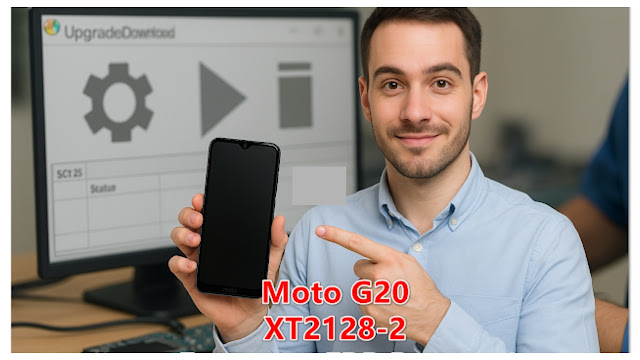
Moto G20 XT2128-2 Format + FRP Bypass Using GSM RK Tools

If you're facing issues with your Moto G20 XT2128-2 such as being locked out due to FRP (Factory Reset Protection), GSM RK Tools offers a reliable solution. This tool allows users to format and bypass FRP on various Android devices with ease, including the Moto G20.


What is GSM RK Tool?

GSM RK Tool is a lightweight Windows-based software used for Android servicing tasks like FRP bypass, formatting, unlocking, and flashing, particularly for MediaTek and Qualcomm devices.


Key Features

  • One-click FRP bypass for Moto and other Android devices
  • Supports formatting (factory reset) without a password
  • Fast and user-friendly interface
  • Compatible with many MediaTek-based devices
  • No need for premium login or activation
  • Works offline after installation


How to Use

  • Download and install GSM RK Tool on your PC
  • Launch the tool and select the Moto G20 model
  • Connect your phone via USB in power-off state
  • Choose "Format" or "FRP Bypass" from the menu
  • Click "Start" and wait for the process to finish
  • Reboot your device once done


How to Download

  • Visit the official or trusted GSM tools website
  • Search for "GSM RK Tool latest version"
  • Click on the download link for the installer
  • Extract the ZIP file using WinRAR or 7-Zip
  • Run the setup file and install on your PC
  • Launch the tool from the desktop or start menu


Supported Devices

  • Moto G20 XT2128-2
  • Moto G10
  • Moto E7 Power
  • Realme C series (MTK models)
  • Redmi Note 8 (MediaTek variant)
  • Oppo A15 (MTK)


Conclusion

GSM RK Tool is an efficient and simple way to format or bypass FRP on Moto G20 XT2128-2 and other Android models. With its ease of use and wide support, it's a must-have tool for mobile technicians and advanced users alike.

Download Link: Click Here

Moto P30 XT1943-1 Loader Format + FRP Reset by Gsm Rk

The Moto P30 XT1943-1 Loader Format + FRP Reset tool by GSM RK is a simple yet effective utility for bypassing FRP (Factory Reset Protection) and formatting devices stuck in various software issues. Specially built for Moto P30 XT1943-1, this tool streamlines repair tasks for technicians and advanced users.


What is Moto P30 XT1943-1?

Bypass FRP lock. Perform loader-based formatting. Resolve boot issues Manage partitions securely. t is tailored specifically for the Moto P30 XT1943-1 device and developed by GSM RK.


Key Features

  • FRP Bypass : Removes Google account lock quickly
  • Loader Format Support : Allows partition formatting via loader
  • Fast Operation: Quick processing with minimal steps
  • Secure Process : Safe and tested on supported devices
  • User-Friendly Interface : Easy for beginners and pros
  • No Box Required : Works without external hardware tools


How to Use

  • Download and extract the tool
  • Launch the software on your PC
  • Connect Moto P30 XT1943-1 in fastboot/EDL mode
  • Select desired function: Format or FRP Reset
  • Click Start to begin the operation
  • Wait for success message and reboot the device


How to Download

  • Visit the official GSM RK website or trusted forums
  • Search for "Moto P30 XT1943-1 FRP & Loader Tool"
  • Click the correct version (v1.3.0 or latest)
  • Verify checksum (if available)
  • Extract using WinRAR or 7-Zip


Supported Devices

  • Moto P30 XT1943-1
  • Moto One Power
  • Moto G6 Plus
  • Moto E5 Plus
  • Moto Z3 Play


Conclusion

The Moto P30 XT1943-1 Loader Format + FRP Reset tool by GSM RK is a reliable solution for overcoming FRP locks and software glitches. Whether you're a technician or an advanced user, this free tool simplifies complex repair processes with minimal effort and high success rates.

Download Link: Click Here

EFT Pro Dongle update V5.0.4 Latest version

EFT Pro Dongle v5.0.4 is the latest update of the powerful tool designed for Android device servicing. It enables flashing, unlocking, and repairing software issues across a wide range of smartphones, especially Samsung, Huawei, and MTK-based devices.


What is EFT Pro Dongle?

EFT (Easy Firmware Team) Pro Dongle is a professional Android servicing tool used by technicians to perform advanced operations like unlocking, flashing, FRP bypass, and firmware repair on multiple brands and chipsets.

Key Features

  • Supports latest MTK, Qualcomm, and Spreadtrum devices.
  • One-click FRP removal and factory reset functions.
  • Improved flashing speed for Samsung and Huawei devices.
  • New security patch bypass support added.
  • Enhanced Huawei Fastboot functions and backup options.
  • Added support for newer Android versions (up to Android 13+).

How to Use

  • Connect your EFT Pro Dongle to the PC via USB.
  • Launch the EFT Pro software tool (ensure it’s updated).
  • Select the brand and model of your device.
  • Choose the operation (FRP, Unlock, Flash, etc.).
  • Put the device in the correct mode (e.g., Fastboot, Download).
  • Click "Start" and wait for the operation to complete.

How to Download 

  • Visit the official EFT Pro website or Easy Firmware portal.
  • Navigate to the "Downloads" section.
  • Select the latest version (v5.0.4).
  • Click the download link and wait for completion.
  • Extract the downloaded file on your PC.
  • Install the software and connect your dongle.

Supported Devices

  • Samsung (Exynos and Qualcomm-based)
  • Huawei (Fastboot and ADB support)
  • Xiaomi (Mi, Redmi, Poco with EDL/ADB modes)
  • Oppo & Vivo (MTK and Qualcomm)
  • MTK generic phones and tablets
  • Qualcomm-based Android devices

Conclusion

EFT Pro Dongle v5.0.4 brings powerful and updated features for mobile technicians. With broader device support, faster operations, and user-friendly functionality, it continues to be an essential tool for Android repair and servicing.

Download Link: Click Here

Saturday, May 3, 2025

Android 15 Root Files for POCO & Xiaomi Devices – Free Download

Rooting your POCO or Xiaomi device running Android 15 allows you to unlock system-level customization, improve performance, and remove unwanted pre-installed apps. This guide provides the latest root files and step-by-step instructions to get started.


What is Android 15 Root File?

Android 15 Root Files are essential tools that help gain superuser access on your POCO or Xiaomi smartphone. With these files, users can modify system files, install custom ROMs, and enable advanced tweaks that are otherwise restricted.


Key Features

  • Enables full root access on Android 15
  • Compatible with most POCO & Xiaomi models
  • Supports Magisk-based root solutions
  • Enhances system performance and battery life
  • Allows system-level customizations
  • Bypasses pre-installed app restrictions


How to Use

  • Download the correct root file for your device model
  • Unlock the bootloader of your device
  • Install custom recovery (e.g., TWRP)
  • Flash the root file via recovery mode
  • Reboot your device after flashing
  • Verify root status using Magisk Manager or Root Checker


How to Download

  • Visit the official or trusted third-party root file website
  • Select your POCO or Xiaomi device model
  • Click the download button for Android 15 Root File
  • Extract the zip file after downloading
  • Read any included README or instructions
  • Transfer files to your device’s internal storage


Supported Devices

  • POCO X5 / X5 Pro
  • POCO F5 / F5 Pro
  • Xiaomi 13 / 13 Pro
  • Xiaomi 12T / 12T Pro
  • Redmi Note 13 / 13 Pro+
  • Redmi K60 Series


Conclusion

Rooting your POCO or Xiaomi device running Android 15 is now easier than ever with these reliable root files. Always proceed with caution, follow the steps carefully, and ensure compatibility to unlock the full potential of your device.

Download Link: Click Here

Fix Samsung Touchscreen Issues from Windows

If your Samsung device is experiencing touchscreen issues, the Android Win Tool v1.3.0 can help. This free Windows-based utility allows users to resolve common Android problems, including unresponsive or malfunctioning touchscreens, directly from a PC.

What Is Android Win Tool v1.3.0?

Android Win Tool is a lightweight, user-friendly tool for Windows that helps fix various Android software problems. It supports Samsung and other major Android brands for functions like touchscreen fixes, FRP bypass, boot repair, and more.

Key Features

  • Fixes unresponsive Samsung touchscreens
  • Supports FRP lock removal
  • Reboots devices into recovery or fastboot mode
  • Installs necessary USB drivers automatically
  • Bypasses screen locks in supported models
  • Compatible with most Android brands

How to Use

  • Download and extract the tool on your PC
  • Connect your Samsung device via USB cable
  • Launch the tool as administrator
  • Choose the "Touchscreen Fix" option
  • Follow on-screen instructions
  • Wait for the process to complete and reboot

How to Download

  • Visit a trusted tech tools website
  • Search for "Android Win Tool v1.3.0"
  • Click the download link
  • Save the ZIP file to your PC
  • Extract the contents using WinRAR or 7-Zip
  • Open the folder and run the tool

Supported Devices

  • Samsung Galaxy S Series
  • Samsung Galaxy Note Series
  • Samsung Galaxy A Series
  • Samsung Galaxy M Series
  • Android One devices
  • Other Android phones with USB debugging enabled

Conclusion

Android Win Tool v1.3.0 is a powerful, free solution for fixing Samsung touchscreen issues from your Windows PC. With its simple interface and wide compatibility, it's a must-have tool for Android users facing software-related problems.

Download Link: Click Here

Friday, May 2, 2025

How to Fix "Unable to Open COM Port" Error for MediaTek Drivers on Windows

 The "Unable to Open COM Port" error commonly appears when connecting MediaTek-powered smartphones to a Windows PC for flashing or debugging. This issue usually occurs due to missing or outdated VCOM drivers, conflicts with other ports, or improper configuration.


What Is the "Unable to Open COM Port" Error?

This error indicates that the system cannot access the designated communication (COM) port, preventing tools like SP Flash Tool or other flashing utilities from interacting with the MediaTek device. It often happens when MediaTek VCOM drivers are not properly installed or recognized by the system.

Key Features 

  • Enables communication between MediaTek devices and PC
  • Required for flashing firmware using SP Flash Tool
  • Compatible with various Windows versions
  • Supports both 32-bit and 64-bit systems
  • Helps in unbricking dead MediaTek devices
  • Allows ADB and fastboot connections via USB

How to Use 

  • Uninstall any previous conflicting drivers
  • Download the latest MediaTek VCOM driver package
  • Disable driver signature enforcement (if needed)
  • Manually install the drivers via Device Manager
  • Reboot the system after successful installation
  • Connect the MediaTek device and check COM port assignment

How to Download 

  • Visit a trusted source or official tool website
  • Search for the latest MediaTek USB VCOM drivers
  • Choose the correct version for your OS (32/64-bit)
  • Download the ZIP or installer file
  • Extract the contents using a file extractor
  • Follow installation instructions or manual setup guide

Supported Devices

  • MediaTek-based smartphones and tablets
  • Xiaomi (MTK models)
  • Infinix, Tecno, and Itel phones
  • Realme (MTK versions)
  • Oppo (MTK-powered models)
  • Lenovo and Gionee MediaTek devices

Conclusion

Fixing the "Unable to Open COM Port" error is essential for ensuring smooth flashing and debugging of MediaTek devices. By properly installing the VCOM drivers and managing COM port settings, you can prevent connection issues and keep your device running efficiently.

Download Link: Click Here

VIP PRO SUPPORT TOOL v2.5 FREE DOWNLOAD


VIP PRO Support Tool v2.5 is a powerful utility designed to help Android technicians and advanced users perform various device maintenance and repair tasks. It's simple, fast, and supports a wide range of Android devices.


What Is VIP PRO SUPPORT TOOL?

It is a multi-functional PC software tool used for flashing, unlocking, FRP removal, and general support functions for Android smartphones.

Key Features

  • FRP bypass on most Android phones
  • Factory reset and format options
  • Unlock pattern, PIN, or password
  • Support for MTK and Qualcomm chipsets
  • Fastboot and ADB support
  • One-click operations for ease of use

How to Use

  • Download and extract the tool on your PC
  • Install necessary USB drivers
  • Run the tool as administrator
  • Connect your Android device via USB
  • Choose the desired function from the menu
  • Follow on-screen instructions

 How to Download

  • Visit the official or trusted download page
  • Click on the “Download” button
  • Wait for the file to download
  • Extract the ZIP file using WinRAR or 7-Zip
  • Run the setup or executable file
  • Complete the installation process

 Supported Devices

  • Samsung (FRP and unlock support)
  • Xiaomi (Mi account bypass, unlock)
  • Oppo/Vivo (MTK mode operations)
  • Huawei (limited features)
  • Realme (bootloader-related features)
  • Android devices with MTK or Qualcomm SoCs

Conclusion

VIP PRO SUPPORT TOOL v2.5 is a valuable asset for mobile repair professionals and tech-savvy users. Its wide compatibility and easy-to-use interface make it a top choice for Android support tasks—download it now and simplify your workflow.

Download Link: Click Here

VIVO FRP Bypass By GSMYOGESH Free Download No Need BAT Files

Factory Reset Protection (FRP) is a security feature on many Android phones (including Vivo) that prevents someone from using a device after...